How to Translate Discord Messages on iPhone and Android
Translate Discord messages on your phone in seconds: long-press, tap Apps, then Translate Text. Plus /translate, flag reactions and built-in phone tools.
На этой странице
- How to translate a Discord message on your phone
- How to get Translate Text everywhere, including DMs
- How to use /translate on mobile
- Do flag reactions work on mobile?
- Auto-translated channels need nothing on your phone
- Built-in iPhone and Android translation tools
- Why browser extensions don't help on mobile
- Every way to translate Discord on mobile at a glance
- FAQ
To translate a Discord message on iPhone or Android, long-press the message, tap Apps, then tap Translate Text. That option comes from a translation app such as iTranslator, installed on the server or on your own account, because Discord has no built-in translator as of 2026. It takes three taps, and it works the same way on both platforms.
This tutorial covers that method step by step, how to make it work in DMs, the other ways to translate on your phone, and the built-in iPhone and Android tools you can fall back on.
How to translate a Discord message on your phone
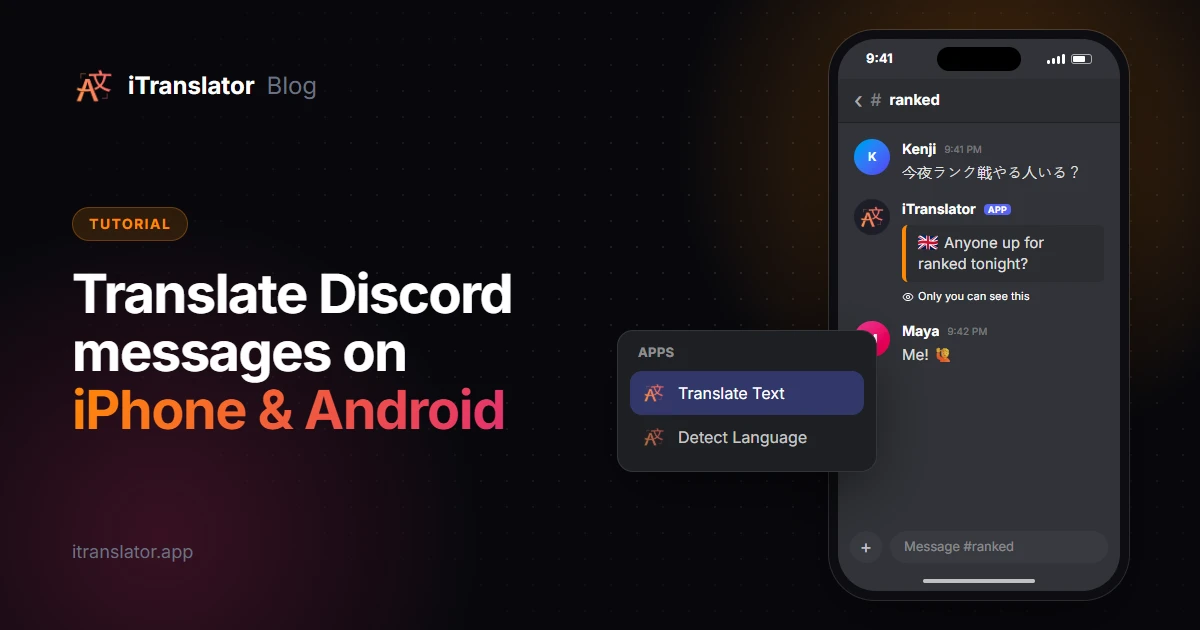
- Open the conversation and long-press the message you want to translate. A menu slides up from the bottom of the screen.
- Tap Apps. You'll see the message commands of the apps available in this conversation.
- Tap Translate Text. iTranslator translates the message into the language of your Discord app, in a reply only you can see.
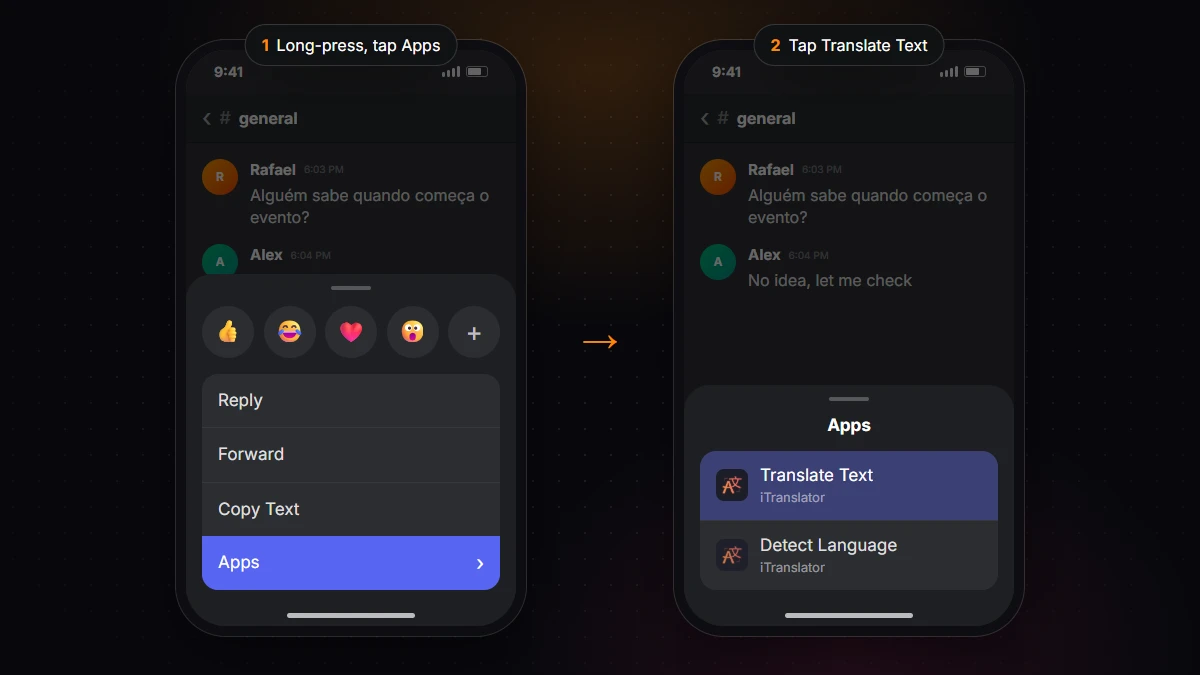
Two related tips:
- Detect Language, right next to Translate Text, tells you which language a message is written in.
- Want translations in another language? By default, Translate Text uses your Discord app's language. If your Discord app is in English but you'd rather read translations in Portuguese, run
/set-context-languageonce and pick your language.
Don't see Apps, or no Translate Text inside it? Then no translation app is available to you here: the server hasn't installed one, an admin has restricted it, or you're in a DM. The next section fixes that in a minute.
How to get Translate Text everywhere, including DMs
You can't add a bot to a direct message, but you can add iTranslator to your own Discord account as a user-installable app. It then follows you everywhere: DMs, group chats, and servers whose admins never installed it.
- Open the iTranslator invite page in your phone's browser (or on a computer).
- Choose Try it now (use this app anywhere!) (Add to My Apps on some versions of Discord).
- Tap Authorize.
Since the app is tied to your account, Translate Text, Detect Language and /translate show up on every device where you're logged in, phone included. For auto-translation and flag reactions, add the bot to the server.
One thing to know: server admins can limit external apps with the Use External Apps permission. According to Discord's help center, user-installed apps still work there, but they reply privately to you.
How to use /translate on mobile
When you want to write in a language you don't speak, /translate does the job.
- Type
/in the chat bar and pick/translatefrom the list. You can also tap the App Launcher button to the left of the chat bar and choose iTranslator. - Fill in the text and the target language. The source language is optional, iTranslator detects it.
- Send. iTranslator posts the translation in the channel, where everyone can read it.
For example, /translate text: See you tomorrow! target-language: Japanese returns "また明日!".
Do flag reactions work on mobile?
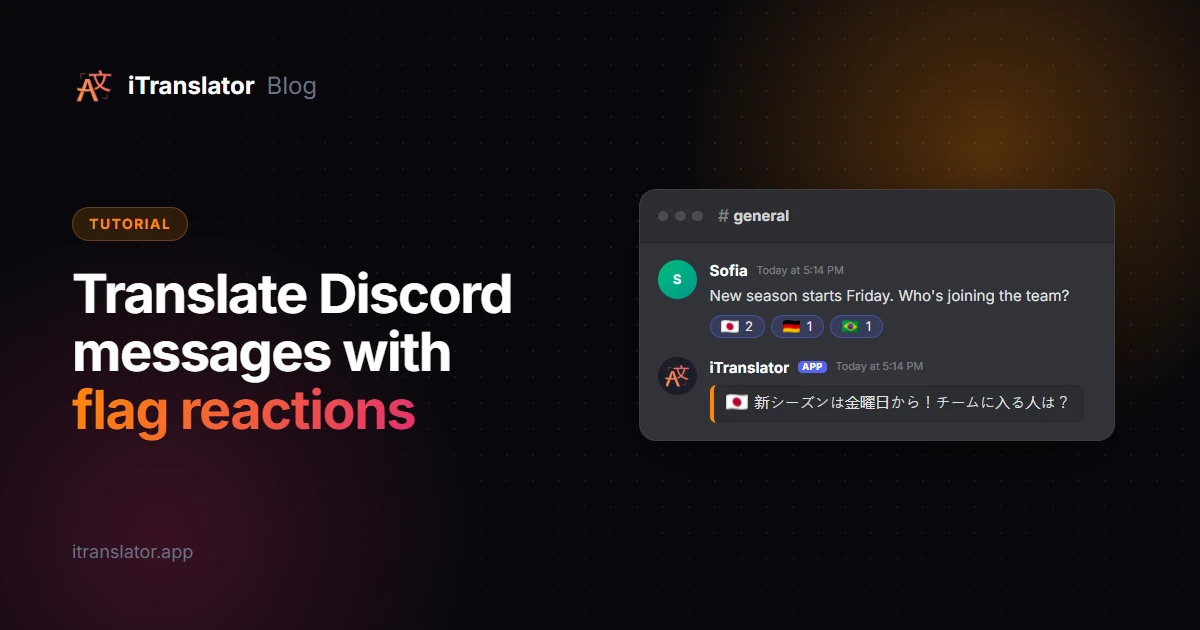
Yes. If a server admin has enabled flag reactions, you can translate any message, however old, by reacting with a country flag. Long-press the message, tap the reaction button and pick a flag (they're in the flags category, or search for "flag"). iTranslator replies with the translation in that country's language.
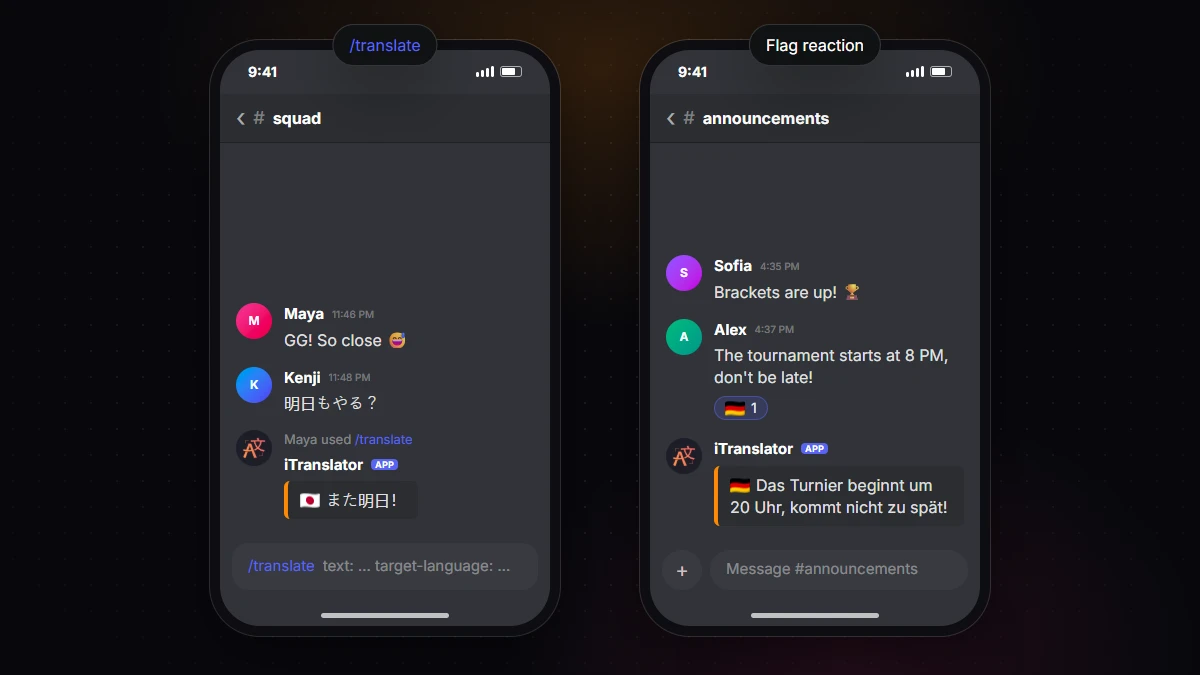
Admins can turn it on from the iTranslator dashboard under Flag-Reaction. Our guide to flag reaction translation covers the options, like making translations disappear after a few seconds.
Auto-translated channels need nothing on your phone
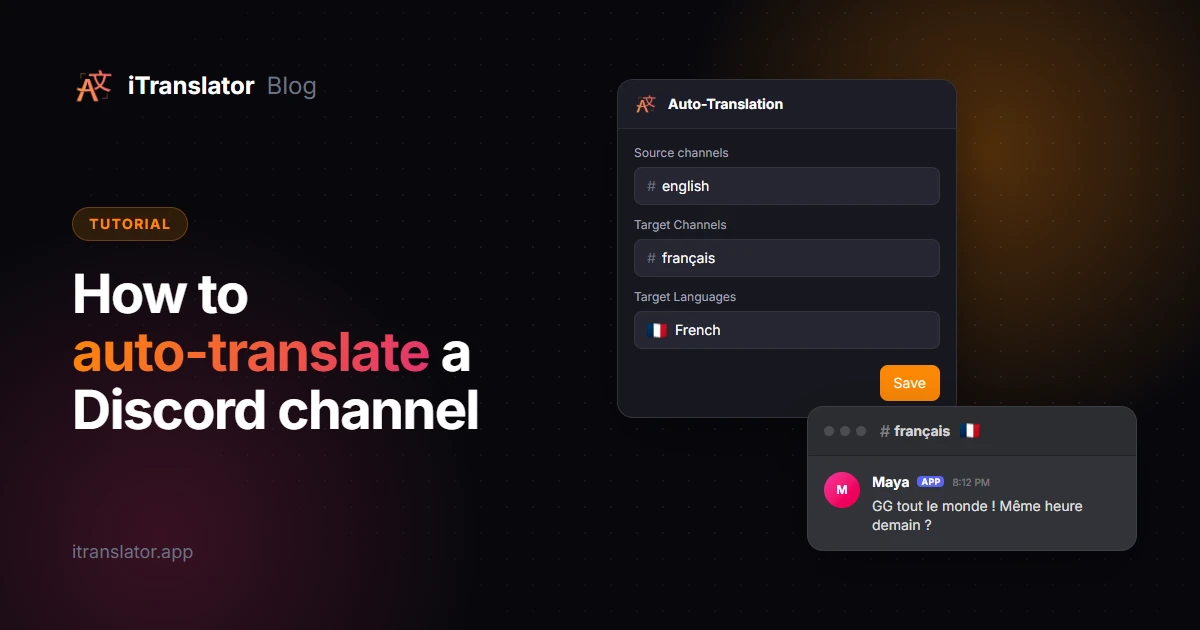
If your server uses auto-translation, there's nothing to do on mobile at all. Messages are translated and posted automatically, either below the original or in a channel for your language, and they show up in the app like any other message.
That's the setup to aim for if you run a server where people chat across languages every day, because nobody has to tap anything. It takes a few minutes to set up auto-translation: add iTranslator to your server, open the dashboard, and pick your channels and languages.
Built-in iPhone and Android translation tools
Your phone has translation tools of its own. They work anywhere, but only for you, and they take more steps.
On iPhone
Discord's long-press menu has a Copy Text option that copies the whole message. From there:
- Paste it into Apple's Translate app. Choose your languages, tap "Enter text", paste the message, then tap Next.
- Use the system Translate option. Apple's guide explains that in supported apps you can select text, then tap Translate. Paste the message in Notes, select it and tap Translate.
On Android
- Tap to Translate in the Google Translate app. Turn it on once in the Translate app's settings (Settings → Tap to Translate → Enable). Then copy a message in Discord and tap the floating Google Translate bubble, as described in Google's help page.
- Circle to Search on supported phones: touch and hold the Home button or navigation handle, then tap Translate to translate everything on your screen. Google lists it for select Android phones, including Pixel 6 and later, and notes that it doesn't translate videos or GIFs. See Google's Circle to Search page.
These tools are fine for a message now and then. For a whole conversation, or when other people need the translation too, an app inside Discord is much faster.
Why browser extensions don't help on mobile
On a computer, extensions like Google Translate or Immersive Translate can translate Discord when you use it in a web browser. The Discord app on your phone doesn't run browser extensions, so none of that carries over. The same goes for BetterDiscord plugins: they're desktop-only client mods, and modifying the Discord client breaks Discord's Terms of Service.
Every way to translate Discord on mobile at a glance
| Method | Best for | Where it works | Setup |
|---|---|---|---|
| Long-press → Apps → Translate Text | Understanding one message | Servers with iTranslator, or everywhere with the user app | None, or the user app once |
/translate |
Writing in another language | Same as above | Same as above |
| Flag reactions | On-demand translations for anyone | Servers where an admin enabled them | An admin, once |
| Auto-translation | Channels where everyone chats together | Configured channels | An admin, once |
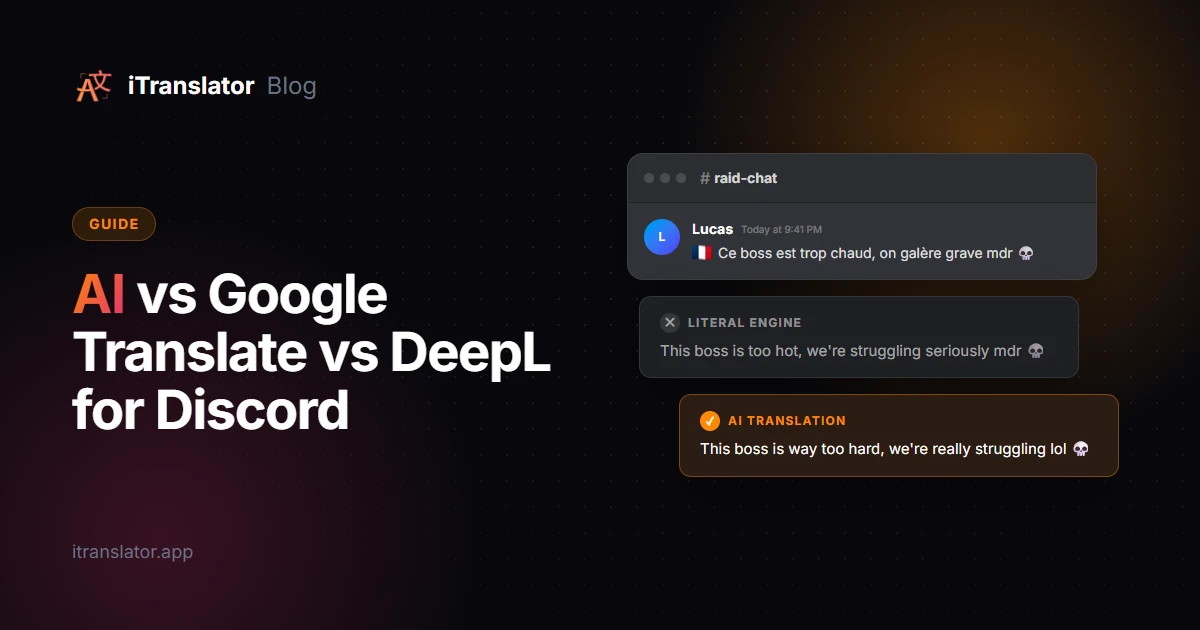
| Copy Text + Translate app / Tap to Translate | An occasional message | Anywhere, only for you | None |
| Circle to Search | Translating a whole screen | Select Android phones, only for you | None |
For a full tour of these methods on desktop too, read our guide on how to translate messages on Discord.
FAQ
Why don't I see Translate Text on my phone?
Translate Text only appears when a translation app is available in the conversation. Either the server needs iTranslator installed, or you can add it to your own account as a user app from the invite page (Try it now (use this app anywhere!), or Add to My Apps on some versions of Discord). Then long-press a message and look under Apps.
Can I translate Discord DMs on iPhone or Android?
Yes. Install iTranslator as a user app, then long-press any message in the DM, tap Apps and Translate Text. You can also use /translate in the conversation.
Does the Discord mobile app have a built-in translator?
No. As of 2026, Discord doesn't translate messages on any platform. You need an app such as iTranslator, or you can copy the text into your phone's own translation tools.
What language does Translate Text translate into?
It uses the language of your Discord app by default. To pick a different one, run /set-context-language once and choose the language you want.
Is translating Discord messages on mobile free?
Yes. iTranslator's free plan includes 10,000 characters per server (the user app has its own 2,000 characters per user), and any member can reset them for free every 12 hours by voting for the bot, then running /checkvote. Premium removes the limit and unlocks all 109+ languages.

Преодолейте языковой барьер на вашем сервере
iTranslator автоматически переводит каждое сообщение на 109+ языков, чтобы каждый мог общаться на родном языке. Настройка за 2 минуты.
Добавить в DiscordНачните бесплатно · Без банковской карты